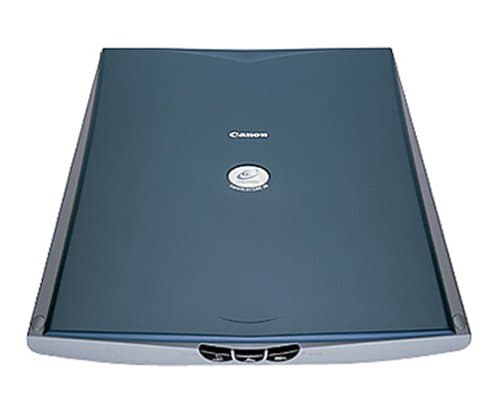
Canon CanoScan LiDE 20
Ease of Set Up
Ease of Use
Scan Quality
Canon CanoScan LiDE 20
When you purchase through links on our site, we may earn an affiliate commission. Here's how it works.
User Reviews
Value For Money
Scan Quality
Ease of Set Up
Ease of Use
This Scanner Is Extremely Easy To Install And Set
This scanner is extremely easy to install and set up. You'll be scanning photos within about 10 minutes of getting it out of the box. Its also great that it draws its power through the USB chord as its just one less thing you need to worry about plugging in somewhere. The price for the scanner is hard to beat and with Amazon's free shipping, this is about the most affordable scanner out there. Its slim design and light weight is also a plus. So far I have run into only one draw back and that is its very limited depth of field. You cannot put anything with any dimension on the scanner and expect decent results. If the object is not touching the glass, the scanner cannot focus on the object and capture detail. If you're simply looking for a scanner that can be used to achieve photos or artwork, this is a great choice. The included software has enough options to fine tune control but I've been quite happy with the results using the software's default settings. I also scan directly into Photoshop where I can further enhance the results if need be. It's important to note that this scanner is plenty powerful for the average home user. 300+ DPI resolution is more than enough to scan a photo and capture just TONS of detail. If you're not a professional working in print theres just no need for a scanner that will capture 2400 dpi. So don't go looking at other higher priced scanners with super high resolution thinking higher is better. Chances are you will NEVER find a need to scan something in such high detail.
Value For Money
Scan Quality
Ease of Set Up
Ease of Use
Bought The Canon Canoscan Lide 20 From Pc World Fo
Bought the Canon CanoScan LiDE 20 from PC World for £45.
The scanner is quite slim and can be placed flat or vertical. I find flat better, but have never tried vertical position.
I have used the scanner to scan pics and documents and the results were quite good.
The software is user friendly. This is my first scanner and I could find my way around it easily. It comes with canon's photo editing software which I did not install as I already had many such softwares on my system- digital camera, webcam, etc. Still you can easily use the scanning software in conjuction with MS photo 2002(which I use). There is provision to email images, print etc as soon as it is scanned. I don't think the scanner is slow, but I cannot compare as I have not used other scanners. Now I can easily fax documents from my PC. Just scan and fax. Because I use fax occasionally, this has completely eliminated the need to buy a fax machine as I can now send any paper document by fax after scanning and of course I can receive any fax on my PC.
The OCR is great! My wife was scratching her head as she wanted to type in a 2 page reference for her employer - and It would have taken at least 30 - 40 mins for her! Scanner did the job in total of 1 minute! It recognises standard fonts like Arial, etc with almost 100% accuracy.
It is a really useful piece of equipment. Go for it if you are not sure. Worth a try, I think.
Q&A
There are no questions yet. Be the first to ask a question.