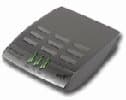
BT Voyager 100 Reviews

★★★☆☆
2.9 / 5
44% of users recommend this
  • Ease of Set Up

  • Ease of Use

  • Value For Money

Media Gallery for BT Voyager 100

item6179.jpg
item6179.jpg

Latest Reviews

★★★★☆
BT Voyager 100

“The modem is quite fast and very easy to setup....”

Written on: 21/11/2006 by WeeWesty

The modem is quite fast and very easy to setup. Unfortunately there is no driver available.

I hate the BT Voyager 100 modem! (read more)

Report this review
★★★★★
BT Voyager 100

“Although there are better modems available, the BT...”

Written on: 21/11/2004 by SlipMatt (1 review written)

Although there are better modems available, the BT Voyager 100 modem is really good, i have read alot of reviews and it seems alot of you are having problems due to your I.S.P being A.O.L, simple solution for you all is really quite obvious! Switch your I.S.P! Many people don't bother with A.O.L because of a lot of problems they have with them (exactlly like you are having) and because of real poor customer support and their high fees for ridiculous reasons. I have been with BT Broadband... (read more)

Seany's Response to SlipMatt's Review

Written on: 06/12/2004

I have to leap to the defence of AOL here.
<br>I have been with them now for 6 months and have had absolutely no ISP problems whatsoever.
<br>Their technical support is spot on unlike Freeserve/Wanadoo (my previous ISP) where you very quickly learn that you know more about computers than they do.
<br>I have also read various reviews by other users and it would appear that AOL is blamed for everything.
<br>In particular the guy who obviously has his computer set to auto/disconnect (every 3 minutes) and the lady who can't understand why AOL can not give her a download speed of 512 Kbs all the time. I am no expert but come on guys, this is basic computer knowledge.
<br>AOL also has no usage limit and is very competitively priced.
<br>No, i do not work for AOL i am just a very satisfed customer.
<br>Sean

Reply to this comment

Jmcgra1956's Response to SlipMatt's Review

Written on: 20/03/2006

Matt, I think I will go down your route if aol does not shape up.
Joe

Reply to this comment
Report this review Read 2 Comments
★★☆☆☆
BT Voyager 100

“The BT Voyager 100 Modem is compact and unobtrusive....”

Written on: 03/11/2004 by Pete Wilde (2 reviews written)

The BT Voyager 100 Modem is compact and unobtrusive. However, the functionality of it leaves a lot to be desired.

BT provide it free as part of their broadband service, although it would be a real cheek to ask users to pay for it.

The main problem is that the modem uses a lot of power causing a drain on the computer. This in turn can cause a computer to hang.

The only solution appears to be to re-boot the system.

The modem also can have problems when used on an Apple Mac computer, as it... (read more)

Report this review
★★★★★
BT Voyager 100

“The BT Voyager 100 modem will be affected by any...”

Written on: 29/10/2004 by AJP

The BT Voyager 100 modem will be affected by any firewalls on your computer.. I had the McAfee personal firewall on my computer and discovered once activated that the bloody internet kept on switching approx every 5-10 mins. In situations like this its always best to eliminate programmes that affect the net 1 by 1. Luckily the McAfee firewall was the first programme eliminated and so the problem was solved!! (read more)

Report this review
★★★★★
BT Voyager 100

“I have used my BT Voyager 100 for over 18 months and...”

Written on: 21/10/2004 by Broon (1 review written)

I have used my BT Voyager 100 for over 18 months and have never had any problems. Only thing that has gone wrong is the microfilters, not the modem. I use an imac with system Os X. (read more)

Report this review
★★★★☆
BT Voyager 100

“BT Voyager 100 - When upgrading from Gold Broadband to...”

Written on: 08/09/2004 by scottash (1 review written)

BT Voyager 100 - When upgrading from Gold Broadband to Platinum and using AOL 9.0, I found that the connection would shut down on its own after 5/10 mins. Contacted AOL help who were useless. After much searching, I found a download driver page for the modem (and other modems). Once I downloaded the updated drivers, so it seems, we've had no problems with our connection.

Try AOL Keyword Broadband drivers. (read more)

Gazzs69's Response to scottash's Review

Written on: 04/10/2004

If you get in touch with aol there is a patch available for a 1mb connection, it worked for me.

Reply to this comment
Report this review Read 1 Comment
★★★★☆
BT Voyager 100

“The only problem I have with the BT Voyager 100 is...”

Written on: 15/07/2004 by AnyIsXma

The only problem I have with the BT Voyager 100 is that it never connects at max speed it is always in the region of 230kps. I have AOL Gold that is the 512kbs one and it is making me mad, do I need a new modem our what so if any one knows how to get rid of the problem then please let me know. (read more)

Report this review
★☆☆☆☆
BT Voyager 100

“The BT Voyager 100 modem will not log on or if it does...”

Written on: 26/05/2004 by Hillsider69 (1 review written)

The BT Voyager 100 modem will not log on or if it does it gets chopped off after 300 seconds exactly. On 2 pc's running 98se and 2000nt pro (with nothing else on that one) AOL help have been no use at all! When it gets on line the test program shows the line is good quality. Bt have run tests and said the line is OK, no intermittant faults etc. HELP PLEASE! (read more)

Report this review
★☆☆☆☆
BT Voyager 100

“I am having exactly the same problem with my BT...”

Written on: 11/04/2004 by Dangerous Dave (1 review written)

I am having exactly the same problem with my BT Voyager 100 Modem. Mine happens every time either I use the phone or the phone rings. Tried to cancel my AOL contact but was told I would have to pay £140 (Sterling) as I was tied into my contact. I tried the Sales of Good act shpeel but to no avail. I am thinking of taking AOL to court. Anyone else willing to join me? (read more)

Notaolhappy's Response to Dangerous Dave's Review

Written on: 17/04/2004

I am having the same problem. I have had to format my computer 4 times in 3 weeks. I have made numerous phonecalls to AOL and also have sent many, many live help messages; but it is very unhelpful have to change all my settings in the computer to no avail. Now they are sending me another modem and I have to wait six days to receive it. The problem is, when I shut down aol then try to start it up again it freezes the computer, then it wont shut down so I have to press the off button which is not really recommended. I tried a sagem modem and it works fine so why are aol sticking with this modem???????????

Reply to this comment

Lkoo's Response to Dangerous Dave's Review

Written on: 08/09/2005

I am also on AOL and I just recently had problems with it after AOL upgraded their network. It was fine before that but ever since the upgrade (which requires you to update your drivers), I have been unable to get online. As a reult I have been stuck on their 128k service. So I called t hem up and after numerous phone calls and screaming to the sales people, I managed to get my contract undone. So now they said I can continue to use AOL until i migrate to a different ISP and I wouldnt have to pay the rest of my contract. A lot of screaming and shouting with a few obsceneties seemed to do the trick for me. Hope it helps

Reply to this comment
Report this review Read 2 Comments
★★★★☆
BT Voyager 100

“Read a number of reviews concerning been unable to...”

Written on: 04/04/2004 by Praxis99 (1 review written)

Read a number of reviews concerning been unable to shutdown the PC after using the Internet (AOL 9) with the BT Voyager 100 Modem. I have experienced the same problem which appears to be caused by opening or closing AOL Radio (or other AOL audio visual content) with a Norton Firewall that had ad blocking enabled.

The solution? dont log into AOL radio until you have turned off add blocking. You can turn it on again once logged on and likewise when shutting doen the radio turn off add... (read more)

Cannonfodder2002's Response to Praxis99's Review

Written on: 05/04/2004

i have had problems with the bt voyager 100 modem and aol for over a year now. i started with aol 8 and nearly every time i tried to disconnect aol stopped responding and the pc would not get past saving your setting on the shutdown. aol tech support blamed everything but their software until i did f:drive and only installed aol & basic drivers and the problem persisted.i did another format and installed aol 7 which never locks up. aol have now agreed to let me out of the 12 month dsl contract as this showed that it is aol software that is to blame. aol 8 & 9 both have the same problem but a way round it in aol 9 is to use your dialer not the aol dialer. open your modem control panel from the task bar(by the clock) and select connect input your aol details inc. @aol.com after your user name and dial.

Reply to this comment

Leeh007's Response to Praxis99's Review

Written on: 27/04/2004

i had the same problem this is what i put in a review not long ago.....
<br>
<br>I've noticed lots of people have problems with AOL and the BT Voyager 100 modem, i've found a way to stop aol crashing everytime it shuts down, on the website i've listed below are some differnet drivers for the modem, this seems to stop AOL crashing, i still have to reinstall the drivers once a week, but it's easier if u use the little utility that is on the website.
<br>
<br>Best way to run it is, when the modem comes up as a fault device, unplug the modem, run the reg edit program, restart the computer, reinstall the drivers using the ones from the website, when the installation is complete plug the modem back into your computer, normally the modem comes up first time, you will notice that is says a different type on modem....i know it's long winded but it does seem to work.
<br>
<br>http://www.black.disk.btinternet.co.uk/
<br>
<br>Good luck fellow AOL people
<br>
<br>Lee
<br>
<br>i've also started unplugging the modem before shutting down the PC, this means that you don't need to constantly reinstall the modem drivers.

Reply to this comment

Khswales's Response to Praxis99's Review

Written on: 26/08/2004

I'm not sure why you're all having problems. I too use AOL + BT Voyager modem 100 and have had no problems for the past 2 years. Maybe you have a different operating system - mine is Microsoft ME.

Reply to this comment

Leeh007's Response to Praxis99's Review

Written on: 27/08/2004

That'll probably be it, I'm using XP, and still have problems now.... I blame BT..cause they're BT :D

Reply to this comment
Report this review Read 4 Comments
See next 10 reviews Showing 1 - 10 of 32 Reviews
★★★☆☆
BT Voyager 100

“Like Many of you my PC would hang after being on line...”

Written on: 20/03/2004 by desbray (1 review written)

Like Many of you my PC would hang after being on line with the BT Voyager 100 modem for a short while,
The cause was using the onboard USB port which is limited to 500 ma current drain, this modem requires 512ma. The solution is to fit another USB board into a spare PCI slot. Belkin do a board that handle the current adequately and my PC hasn't stopped since fitting the replacement. The onboard ports can still be used for other devices. (read more)

Report this review
★★★★☆
BT Voyager 100

“On the whole, the BT Voyager 100 modem works well with...”

Written on: 04/03/2004 by scorpion1 (1 review written)

On the whole, the BT Voyager 100 modem works well with BT broadband, good speeds and download times, uploading not bad either, just can't get my windows xp pro to shut down after I disconnect!. (read more)

Angelbabe73's Response to scorpion1's Review

Written on: 15/03/2004

yes mine does the same thing. there will probably be a fix for it some time...

Reply to this comment

Scorpion1's Response to scorpion1's Review

Written on: 15/03/2004

well, i have been reliably informed it is a driver fault, havent actually been able to find an updated driver as yet, but if i do, i will post a link here..........assuming all is well that is.........

Reply to this comment

Bacwood's Response to scorpion1's Review

Written on: 20/03/2004

just put aol 8 on again the red copy version and it cures the problem

Reply to this comment

Balleerics's Response to scorpion1's Review

Written on: 28/09/2004

I had that prob to, I found an update driver though it was for the voyager 200 but it works fine! Hewlett Packard online help gave me the info for the update, soz cant remeber the site rite now, also norton firewall caused a lot of connection probs to so got rid of that 'n' replaced it with Mcafee, I got no probs at all now oh & just one other word....SPYWARE (cringe) get it blocked it's one of the main probs with connection! Hope this helps 8-)

Reply to this comment
Report this review Read 4 Comments
★★★★☆
BT Voyager 100

“We recently purchased Aol 8.0 with the free BT Voyager...”

Written on: 04/02/2004 by jletherby (1 review written)

We recently purchased Aol 8.0 with the free BT Voyager 100 USB ADSL Modem 576kb/s. I am also running Windows XP Proffesional. However it will often disconnect, not close down AOL of the web browser, the DSL light on the front will flash and i will get a notice from the start bar saying that the network cable is unplugged even though it is not, and 5 seconds later it will be connected again as if nothing had happened.
CAN ANYONE OFFER ADVICE (read more)

Report this review
☆☆☆☆☆
BT Voyager 100

“Having had trouble free usage from a Zoom DSL modem...”

Written on: 02/02/2004 by merrimantw (1 review written)

Having had trouble free usage from a Zoom DSL modem for almost a year, I signed up with BT for another account which included a free modem. I expected the same touble free surfing. I was bitterly disappointed. The BT Voyager 100 on XP disconnects after exactly 5 minutes. On Windows 2000, it can keep the connection, but often disconnects. The Zoom kept the connection for weeks at a time. What a load of JUNK! (read more)

150635_Linlever's Response to merrimantw's Review

Written on: 07/04/2004

We decided to upgrade to broadband with aol after long internet trouble free usage.We were sent the package and the modem is BT Voyager 100, it just consistently disconnects, we have checked every aspect of troubleshooting with A O L and checked phone line with bt , can anyone out ther give us advice? as broadband was supposed to be the answer to everything as our family want to network
<br> LIN

Reply to this comment
Report this review Read 1 Comment
★★★★☆
BT Voyager 100

“I've noticed lots of people have problems with AOL and...”

Written on: 22/01/2004 by leeh007 (1 review written)

I've noticed lots of people have problems with AOL and the BT Voyager 100 modem, i've found a way to stop aol crashing everytime it shuts down, on the website i've listed below are some differnet drivers for the modem, this seems to stop AOL crashing, i still have to reinstall the drivers once a week, but it's easier if u use the little utility that is on the website.

Best way to run it is, when the modem comes up as a fault device, unplug the modem, run the reg edit program, restart the... (read more)

Scorpion1's Response to leeh007's Review

Written on: 16/03/2004

do you think the drivers on the site you mention will be suitable for bt broadband users or are they only aol related?

Reply to this comment

Leeh007's Response to leeh007's Review

Written on: 16/03/2004

should be fine, the drivers are for a BT ADSL modem not specific for an AOL modem

Reply to this comment
Report this review Read 2 Comments
★★★★☆
BT Voyager 100

“First Off. I got this BT Voyager 100 modem as part of...”

Written on: 11/01/2004 by giarccam (1 review written)

First Off. I got this BT Voyager 100 modem as part of a package deal from AOL. It all arrived in a gucci wee box and the drivers and AOL 8 where installed with nary a hitch. It works well enough and i've had no problems other than that stated below. The lack of a fully functional driver that allows the USB ADSL modem operate to the capacity for which it was designed seems to me to be utterly ridiculous. However. After typing in a few queries over the net and the fortunate hit on one that... (read more)

Report this review
★★★★☆
BT Voyager 100

“Overall the BT Voyager 100 is not a bad modem with a...”

Written on: 03/01/2004 by blowfish (1 review written)

Overall the BT Voyager 100 is not a bad modem with a few quarms. (read more)

Report this review
★★★★☆
BT Voyager 100

“I just got BT broadband 4 days ago and the BT Voyager...”

Written on: 13/12/2003 by Jane W (1 review written)

I just got BT broadband 4 days ago and the BT Voyager 100 modem was included. I found it easy to install and it ran well untill I got a phone call. No sooner had I put the phone down I was disconnected and I was told the port had been disconected by the user. This happens every time I get a phone call. I have been in contact with Bt who are not sure what the problem is, some say it is my conection or the filters.

Has anyone else had this problem? (read more)

Report this review
★★★★☆
BT Voyager 100

“I have just recieved a BT Voyager 100 from aol as my...”

Written on: 08/12/2003 by jazzytazzy (1 review written)

I have just recieved a BT Voyager 100 from aol as my last modem was faulty. since using this modem i keep geting signed out from everything like msn or chat rooms cant get web pages up, aol tell me im using too much bandwith so its knocking me off the web but i never had any probs with my old modem and im still using the same p2p program and chat rooms as before .....anybody have any ideas (read more)

Report this review
★★☆☆☆
BT Voyager 100

“Same problem occurs here when using the BT Voyager...”

Written on: 30/11/2003 by shandydesigns (1 review written)

Same problem occurs here when using the BT Voyager 100, Windows XP home edition locks up and a blue screen with an irq error comes up locking up the whole system complete restart is required and the weird things is...the modem lights stay on. (read more)

Tit's Response to shandydesigns's Review

Written on: 24/12/2003

Hi, does the message BAD_POOL_CALLER appear in the blue screen window?

Reply to this comment
Report this review Read 1 Comment
See next 10 reviews Showing 11 - 20 of 32 Reviews
★★★★★
BT Voyager 100

“i have had many problems withe the BT voyager 100 adsl...”

Written on: 29/11/2003 by cannonfodder2002 (1 review written)

i have had many problems withe the BT voyager 100 adsl and aol every time i try to exit aol the screen freezes and i have to turn the pc off at the plug as the computer will not shut down it just stops at saving your settings. aol told me that there was a problem with a windows hotfix and it was microsofts fault. upon the advice of aol i removed the hotfix which made the problem 10x worse it affected numorous other programs on my pc. i did a complete format of hd installed norton internet... (read more)

Briwinter2901's Response to cannonfodder2002's Review

Written on: 05/12/2003

I have just upgraded from Windows ME to Windows XP Home Edition. Under Windows ME the BT Voyager 100 worked fine with AOL. Now, although the modem is recognised by Windows XP, it is shown in device manager, it is not found by the AOL searching for ways to connect to the internet. I have de-installed AOL 8. I have de-installed the BT Voyager software and have re-positioned the modem into another USB port. But it still does not work.

Reply to this comment

Gid123's Response to cannonfodder2002's Review

Written on: 02/01/2004

Hi,
<br>
<br>I had the same problems (on 2 different machines)but AOL did fix it. It had to do with the memory. I wished I remembered more ABOUT IT.

Reply to this comment

Isis's Response to cannonfodder2002's Review

Written on: 14/05/2004

The description of the AOL shutdown problem is exactly that which I have experianced since switching from 98SE to XP. AOL seem unable or unwilling to offer any realistic help such that I'm tempted to tell them where to go and use another ISP.

Reply to this comment

217596_Kevrushmere's Response to cannonfodder2002's Review

Written on: 18/11/2005

AOL do a patch for win xp which cured all my problems with the bt100. my problem now is a noisy phone line that bt are still trying to fix.

Reply to this comment
Report this review Read 4 Comments
☆☆☆☆☆
BT Voyager 100

“It seems that installing the BT Voyager 100 modem is a...”

Written on: 22/11/2003 by kehuk (1 review written)

It seems that installing the BT Voyager 100 modem is a nightmare. I am unable to select the win98 directory and it fails to extract any cab files. If anyone can help I'd be eternally grateful. (BT Support it seems don't know the name of the files to extract from the CAB files, so I can't do this manually) Had the modem for a week and still can't use my broadband. (read more)

147176_Jokke's Response to kehuk's Review

Written on: 11/03/2004

I have the same problem. Is there anything to be done? Any win98 download etc.?

Reply to this comment

Samuelmorris's Response to kehuk's Review

Written on: 10/05/2004

Windows 98 First edition will not install the drivers, only second edition. you know that, right?

Reply to this comment
Report this review Read 2 Comments
★★★☆☆
BT Voyager 100

“i have just installed my bt voyager 100 and everytime...”

Written on: 17/11/2003 by weeliam (1 review written)

i have just installed my bt voyager 100 and everytime i leave my computer for a long time it seems to create an error where my system shuts down and my screen goes blue and says it has dumped my physical memory and the problem is hardware that has just been installed, has anyone got any ideas on how this is happenin???????????? (read more)

Jnx's Response to weeliam's Review

Written on: 24/11/2003

Mine too-
<br>BT support reckon on trying a powered USB external port (£23), someone elses modem or uploading drivers for my moherboard- which seems to be cutting off power to the modem- but only when I start up the browser...weird.

Reply to this comment
Report this review Read 1 Comment
☆☆☆☆☆
BT Voyager 100

“Every 5 minutes the BT Voyager 100 modem DSL light...”

Written on: 13/11/2003 by red1307 (1 review written)

Every 5 minutes the BT Voyager 100 modem DSL light would disappear and I would lost my connection. AND I MEAN EVERY. A replacement modem produced exactly the same results. Eventually BT support told me that the Alcatel modem works better ! I tried the Alcatel modem out and ..... it worked first time, perfectly. I would never recommend the BT Voyager. (read more)

Rockradio's Response to red1307's Review

Written on: 02/01/2004

After 2 weeks of watching BT engineers tell me I'm too far from the exchange and thats why my Voyager 100 disconnects every 5 mins I'm now off to buy a proper modem as described in this article - thanks

Reply to this comment

Kevinhamill's Response to red1307's Review

Written on: 24/02/2004

I have same problem. BT have told me to go and buy a new modem and they will pay for it.

Reply to this comment

155181_Miketech's Response to red1307's Review

Written on: 11/05/2004

i too have the same problem and as ive changed everything else i guess ill try swapping this BT voyager modem for something else, ive redone the operating system, dsl splitter, cables, you name it ive doen it to no avail, so i will try a different modem and keep u posted

Reply to this comment
Report this review Read 3 Comments
★★★☆☆
BT Voyager 100

“i have a bt voyager 100 modem running aol 8.0 ”

Written on: 17/10/2003 by petercoleman (1 review written)

i have a bt voyager 100 modem running aol 8.0
my usb controller is an sis 7001 500ma max output and also usb 2.0 aswell as usb 1.1 aol tell me itsthe sis 7001 controller that is causing the problem i need at least 512ma out of the usb to controll the modem and says its my computer that is at fault i have all the same symtons as the rest line drops connection then all i can do is reboot but then freezes computer when shutting down my computer vendor says its aol 8.0 which is causing the problem (read more)

Cannonfodder2002's Response to petercoleman's Review

Written on: 29/11/2003

i have had many problems with the voyager 100 adsl and aol every time i try to exit aol the screen freezes and i have to turn the pc off at the plug as the computer will not shut down it just stops at saving your settings. aol told me that there was a problem with a windows hotfix and it was microsofts fault. upon the advice of aol i removed the hotfix which made the problem 10x worse it affected numorous other programs on my pc. i did a complete format of hd installed norton internet security and minimal other programs but the problem still remains aol say that it is my pc that is to fault but i have my doubts.

Reply to this comment

Giarccam's Response to petercoleman's Review

Written on: 11/01/2004

I have posted a review that sorts out the misunderstanding regarding this issue. Should be up tomorrow or contact me via giarccam@yahoo.co.uk

Reply to this comment

Balleerics's Response to petercoleman's Review

Written on: 28/09/2004

I've had the same probs as you with me poota freezing on shut down, losing connection and the like...... I'm running xp home with AOL9.0 with BT 100 voyager, I found that spyware was causing a lot of the probs plus Norton firewall, I sorted out the spyware and got rid of norton firewall & replaced it with mcafee firewall oh and also found an update for the modem though the update was for the Voyager 200 but it worked fine! I got no probs at all now, maybe this might help you 8-)

Reply to this comment
Report this review Read 3 Comments
★★★★★
BT Voyager 100

“This little BT Voyager 100 modem is really efficent....”

Written on: 06/10/2003 by arzemy (1 review written)

This little BT Voyager 100 modem is really efficent. I've got it with AOL broadband and was having problems as said from many... init package not aknowledge... etc etc... AOL said I was too far away from socket, problems with my own hardware and so on...... reality is I've now changed to BT broadband and EVERYTHING is PERFECT. I could live it on for days and it never misses a bit online. So my dear fellows AOL was the matter... change as soon as you cannnnnnn (read more)

Vickkk's Response to arzemy's Review

Written on: 12/10/2003

I have XP on a 2gHz PC, running voyager ADSL modem from bt broadband. The setup seems to go well (done it over a dozen times now, can do it with eyes closed!!!).
<br>However, I can never stay on line for loger than an hour without everything freezing up. The modem won't reconnect. I can't even open my Network Connections folder, can't re-run ieexplorer, windows explorer, NOTHING! Only solution is then to reboot the whole PC, which then freezes up on exit and I have to unplug everything - this happens every hour, you can't even begin to imagine my pain!.
<br>reluctant to call bt - I'm convinced they won't have a clue what to do! Can anyone else please help. I am close to swearing off the internet for good....PLEASE HELP!!!

Reply to this comment

Benjamin's Response to arzemy's Review

Written on: 17/10/2003

I work for BT Yahoo support and every now and then I see a problem such as this. It might be a compatibility problem with your computer chipset and the modem itself. If you know anyone else with an adsl modem or router of a different brand, and who is willing to let you try it on your computer then you could at least work out if that is the cause. Also make sure you've disabled all other usb devices and the modem is not resting on your PC tower, somewhere like a wooden surface is better. Next right click on My computer /properties/hardware/device manager/go into the properties of network adapters and if there is a power management tab, click on it and remove a tick from "allow the computer to turn off this device to save power". Now go into universal serial bus controllers and do the same on any USB root hub devices. Further help can be found at www.usbman.com .Check out a link with XP on it.

Reply to this comment

Mah1617's Response to arzemy's Review

Written on: 31/08/2004

Can anyone help - I am a novice at this. Have a BT voyager broadband modem and have just bought Dell router to enable wireless networking. On the back of the router there are just ethernet sockets and on the back of the voyager are DSL line to wall and USb socket to back of computer so how do I connect the router. Are there extra adapter sockets I can get - please help.

Reply to this comment
Report this review Read 3 Comments
★★★★★
BT Voyager 100

“This BT Voyager 100 ADSL modem was easy to install no...”

Written on: 05/10/2003 by trippingmars (1 review written)

This BT Voyager 100 ADSL modem was easy to install no prolems as yet with it. I got xp and every things fine. if u are have prob it could be down to compaterbilty with ur other hardware. All works fine con at 576.0 and download is 60kbs. All working fine on xp. (read more)

Jesse James's Response to trippingmars's Review

Written on: 11/10/2003

Lucky you. Ever since Voyager USB disappeared from my PC on 26th September I've been unable to reinstall the drivers; download is OK but install--never. I'm paying AOL £27.99 per month for what, using Dialup at extra cost. All they can say is 'something might be wrong with your PC'. I know for sure something's wrong with AOL. They sent a replacement Voyager 100 USB modem and guess what; the drivers still won't install. I despair.

Reply to this comment

Benjamin's Response to trippingmars's Review

Written on: 17/10/2003

First save your downloaded drivers to somewhere like a my downloads folder that you have created and then go to my computer/ control panel/ add remove programs/ and remove the drivers from your modem.
<br>
<br>The next bit is done entirely at your own risk.
<br>Click start /run/ then type regedit and then (ENTER) , Click the "+" next to HKEY local machine. Do the same on the software folder. Look for a folder that you recognise to be your modem and then delete it (you can rename it instead if you like). Close this box and load on your new drivers and attach your modem. I don't see any reason why this will not work for you!

Reply to this comment

Leeh007's Response to trippingmars's Review

Written on: 07/01/2004

I found a website that gives u a prog to completely remove the installation from the computer so u can reinstall the modem drivers, it edits the register so u don't have to

Reply to this comment

Leeh007's Response to trippingmars's Review

Written on: 07/01/2004

sorry update for last message...website is
http://www.black.disk.btinternet.co.uk/

Reply to this comment
Report this review Read 4 Comments
★★★☆☆
BT Voyager 100

“Same problem as with others. My BT Voyager 100...”

Written on: 01/10/2003 by Fernacks (1 review written)

Same problem as with others. My BT Voyager 100 Disconncts overnight, ruining my downloads. also freezes up aol and, when closing down, the PC also!
AOL said that my PC was too far away from the telephone socket - Wrong! My 25Metre cable does the job perfectly. (read more)

Report this review
★☆☆☆☆
BT Voyager 100

“i am runnuing aol 8 with a BT Voyager 100 (Broadband...”

Written on: 18/09/2003 by snapperman (1 review written)

i am runnuing aol 8 with a BT Voyager 100 (Broadband USB ADSL Mdem),and when i am downloading i gt thrown off with the message init packet not acknowledged.this didn`t happen at first but now it happens every day.i think if it carrys on then it will be time to throw it in the bin.can anybody help. (read more)

Fernacks's Response to snapperman's Review

Written on: 03/10/2003

The 'Init' error is usually to do with the telephone connection point. Incorrect fitting to socket of modem lead and/or asdl cable or filters - perhaps even too many appliances from the phone socket. Possibly PC too far away from socket. (over 10 metres)
<br>Aol will say that a cable over 10 metres will not work. I am using a 25 metre cable and it works perfectly - the problems I have are closing Aol and freezing up PC but not to do with cable.

Reply to this comment

Arzemy's Response to snapperman's Review

Written on: 06/10/2003

The modem is great... Aol is the problem....
<br>
<br>I had all you described and terminated my contract with them I subscribed with bt and all is working fine...

Reply to this comment

Jacko0770's Response to snapperman's Review

Written on: 12/01/2004

i had bt broadband and i have the same problem as aol custumers with the computer going to a blue screen or cutting my computer off it is the modem that is the problem as they both use the same modem

Reply to this comment

Dangerous Dave's Response to snapperman's Review

Written on: 21/03/2004

I am having exactly the same problem. Mine happens every time either I use the phone or the phone rings. Tried to cancel my AOL contact but was told I would have to pay £140 (Sterling) as I was tied into my contact. I tried the Sales of Good act shpeel but to no avail. I am thinking of taking AOL to court. Anyone else willing to join me?

Reply to this comment

Arzemy's Response to snapperman's Review

Written on: 06/04/2004

As I commented b4 the modem works absolutely fine and after months and months of constant24/7 use it still keep the connection no prob!!!! Drop AOL!!!!!

Reply to this comment
Report this review Read 5 Comments
★★★☆☆
BT Voyager 100

“I am running the Voyager via AOL 8, using Windows XP...”

Written on: 02/09/2003 by Casino Man (1 review written)

I am running the Voyager via AOL 8, using Windows XP on a high powered laptop. For the first week it was fine. Then I had to completely re-install the whole shooting match as it crashed the machine and no end of calls to Dell and AOL could fix it! It has been working fine since then up until last week. Now it works when it wants to, which, to be honest is not that often.
It crashes when it feels like it, then I have to re-boot the laptop and unplug then plug in the cable to the USB port! I... (read more)

Unrealt44's Response to Casino Man's Review

Written on: 16/09/2003

have u tried to update the firmware on modem or the laptop usb port or try to use a diffrent System softwware.
<br>
<br>then try to update the driver to xp or disable the sevice called acpi mangerment.

Reply to this comment

Ahodgett's Response to Casino Man's Review

Written on: 19/09/2003

Having same problem with the voyager, needs to be initialised every time it is switched on, by unplugging and reconnecting the usb lead. Also the INIT problem.

Reply to this comment

Dt99Ddk's Response to Casino Man's Review

Written on: 24/11/2003

I have had the same problems, been reading a lot about it, so far...
<br>Apparantly the modem draws more current than the usb can provide, causing system crashes to prevent damage. some suggestions are change modem.. alcatel 330. or try a powered usb hub. hope this helps

Reply to this comment

Martmart31's Response to Casino Man's Review

Written on: 28/11/2003

I just get crash after crash and the only thing I installed was the USB modem, I get a Blue screen telling me driver irql not less or equal and further down I get some error message about USB, the modem once the system has restarted has to be unplugged by the USB cable and reinitialised as it completely freezes up!

Reply to this comment

Cannonfodder2002's Response to Casino Man's Review

Written on: 01/12/2003

I have had several problems with the BT voyager 100 modem but them main one is more in regards to AOL than the modem. The problem that I have is when I try to log off aol freezes and I have to end process using the task manager the other is when I try to shut down the pc after using the aol software my pc will not shut down it just hangs at the saving your settings screen. AOL told me that it was Microsoft’s web update hot fix that was to blame. The AOL staffs were all aware of the hot fix problem stopping the modem from disconnecting but they had no plans to release a patch to fix this problem, they hope that the problem will be resolved with the release of AOL 9. After several weeks of having to switch off at the plug upon the advice of AOL senior technical support staff I removed the hot fix as apparently it would not affect any other system processes and was completely safe to do. After the removal of the hot fix virtually all programs on my pc stopped responding forcing me to do an f:drive (format). After the format I install minimal programs XP home, Norton internet security, AOL 8 and America’s army online but the problem still remains. Aol have now changed their mind after telling me that it was the hot fix or program incompatibility that was causing the problem is just my pc is not compatible, I tend to think as many others do in forums all over the internet that aol is the problem, they don’t seem to care once they have your money. I tried my ADSL modem with Tiscali and it works fine no hangs great speed. My conclusion is that the BT 100 modem is great but AOL is rubbish.
<br>p.s. i tried a different adsl modem with my aol and since then i have had no problems.

Reply to this comment
Report this review Read 5 Comments
See next 10 reviews Showing 21 - 30 of 32 Reviews
★★★★☆
BT Voyager 100

“The modem arrived in a package with two microfilters,...”

Written on: 03/08/2003 by StormBrewing.

The modem arrived in a package with two microfilters, a cable to connect to the phone line and a USB cable to connect to the computer and an installation disk. Following the instructions the CD was loaded first to install the drivers and then the modem was connected using the USB cable. All went smoothly and after a couple of reboots the modem lit up showing the DSL connection.

A reasonable piece of kit in a nice small package. (read more)

Trippingmars's Response to StormBrewing.'s Review

Written on: 05/10/2003

I agree with you had no prob and im on xp it works fine.

Reply to this comment

Dan524844's Response to StormBrewing.'s Review

Written on: 13/11/2003

i also agree mine is fine and iam running XP with BT, but i have heard alot of bad things about AOL.

Reply to this comment
Report this review Read 2 Comments
☆☆☆☆☆
BT Voyager 100

“everytime I turn computer off, it needs to be...”

Written on: 19/07/2003 by Tilde.

everytime I turn computer off, it needs to be unplugged and plugged in again to get it recognised by the computer. A simple driver would sort the problem, but BT do not supply one

it's even worse when using hibernate - on restart it will connect to web OK, but then be unable to get any data through.
(read more)

Iklemoz's Response to Tilde.'s Review

Written on: 06/08/2003

Did you use the disk for XP users?
<br>
<br>My voyager modem rocks, i have never had a problem with it and it runs at very high speeds.

Reply to this comment

Newmancookes's Response to Tilde.'s Review

Written on: 10/08/2003

I also have problems with this modem, if left on for long periods it will crash aol and every other program also will stall my PC when turning off(on saving settings section) then I have to unplug ANY COMMENTS ON HOW TO FIX WILL BE VERY HELPFUL

Reply to this comment

Banwell's Response to Tilde.'s Review

Written on: 29/08/2003

Yeah, this modem is poor when using P2P file sharing networks.
<br>It seems to drop its DSL signal after 10 mins of file sharing.
<br>I am not the only one with this problem, which makes me think its hardware related.

Reply to this comment

Newmancookes's Response to Tilde.'s Review

Written on: 30/08/2003

I HAVE HAD AN UPDATE FROM THE XP AUTOUPDATER AFTER I MANAGED TO CRASH MY SYSTEM WHEN THIS HAPPENED, THIS HAS REDUCED THE PROBLEM A GREAT DEAL (NOT COMPLETELY) AND IT IS NOW WORKABLE EVEN WITH P2P SYSTEMS! I RECOMMEND CONTACTING MICROSOFT FOR THAT QUICKFIX.

Reply to this comment

Newmancookes's Response to Tilde.'s Review

Written on: 21/12/2003

Fixed.
<br>
<br>Reduce the amount of people who can upload from you on your p2p to 1.
<br>
<br>no more problem.

Reply to this comment

Bobski's Response to Tilde.'s Review

Written on: 18/12/2004

I must be the lucky one: No problems as yet.. touch wood,, even P2P is good... sorry people not as bad as you are saying!

Reply to this comment
Report this review Read 6 Comments
overview