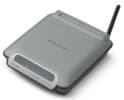
Belkin F5D7132UK Wireless G Universal Range Extender
Ease of Set Up
Ease of Use
Value For Money
Belkin F5D7132UK Wireless G Universal Range Extender
When you purchase through links on our site, we may earn an affiliate commission. Here's how it works.
User Reviews
Value For Money
Ease of Use
Ease of Set Up
It Severally Strengthens Your Connection. If You C
It severally strengthens your connection. If you can set it up and don't mind a very unstable connection.
I have recently upgraded to windows 7 and before this my connection was unstable but usable but now it is just broken with my ping going up to 700 at times.
Value For Money
Ease of Use
Ease of Set Up
Without This Product The Internet Signal Was Weak.
Without this product the internet signal was weak. When we plugged it in, the signal became much stronger but we could no longer access the internet. I could not find any explanation or advice in the manual.
Value For Money
Ease of Use
Ease of Set Up
I Purchased This To Use As A Wap Point On A Networ
I purchased this to use as a WAP point on a network primarily used by Mac users.
There was no way to obtain the default IP address without using a PC only setup utility.
When setup the Belkin Range Extender / Access point crashes repeatedly and wireless connection lost even when only sitting less than 1 metre from the WAP! When this occurred the box will not respond to ping (Even through the ethernet network, and you are unable to access the base station through a web browser).
Very poor product!
Value For Money
Ease of Use
Ease of Set Up
* Fairly Good Product To Extend Wireless Range
* Fairly good product to extend wireless range
* Signal strength is OK, not excellent though
* Requires at least moderate knowledge to set up
* Good for home use only. Don't buy this, if you need to connect more than 3-4 computers at the same time. When there are more than 5 laptops connected to it in my office, the product loses connection with the main router. After restart works for 3-5 min. then crashes again. I'm not the only who has this problem, by the way. Looked for firmware update - not available.
Value For Money
Ease of Use
Ease of Set Up
Make No Mistake, Despite The Flippant Comments Fro
Make no mistake, despite the flippant comments from some reviewers about expertise this Belkin F5D7132UK Wireless G Universal Range Extender is a seriously flawed offering.
I vowed never to buy any more Belkin kit after the last time but I desperately need to get a repeater up and running and this was the only one on the shelves!
So here are the issues so far;
1. The auto connect just doesnt work so you are left with no option but to use the web interface as the pointless utility that they offer has no way of configuring the device with the relevant settings.
2. The web app that they have implemented as an interface, staggeringly using asp and seemingly ajax, is absolute crap. It doesnt render properly in ie when you go to the site survey page, it fails to refresh and after changing a setting it goes into some sort of endless wait without informing the user. Each time that i change a setting i have to restart the device as the page hangs and its impossible to obtain a session with a new login.
I have no doubt that the hardware works but yet again Belkin have let themselves down with poor firmware and poor software.
Value For Money
Ease of Use
As Far As I See This Belkin F5d7132uk Wireless G U
As far as I see this Belkin F5D7132UK Wireless G Universal Range Extender extends the range of your wireless network but in a weird complicated way. Instead of just boosting the signal of your original wireless router, it creates its own ssid. So when your computer falls out of range of the orginal wireless router it disconects from it and connects to the extender. Thats fine but a real headache. Works fine for web browsing and other simple network functions but I bought it to extend the range of my ip cameras. The cameras can get on the extended network but can't pass through to the original wireless router making it useless for that purpose. I spent days trying to figure out why it doesn't work, going through all ranges of emotion.... laughing, sweating, crying. In the end I came to the conclusion that there is no reason. It just doesnt work for Ip Cams. I think this device took years off of my life, whenever I see the devise my blood pressure rises.
Value For Money
Ease of Use
Ease of Set Up
There Are Many Negative Reviews Of The Belkin F5d7
There are many negative reviews of the Belkin F5D7132UK Wireless G Universal Range Extender product of which many can be explained by lack of knowledge. Many have complained of a total lack of functionality and that it "doesn't do what it is supposed to." Don't be misled by these reviews, it is simply that a "plug and play" attitude (which nowadays is quite normal with peripherals) cannot be taken with this device, unless the user has a total security free network, which wouldn't be recommended.I have recently set up my new network and have installed two of these devices, with one device acting as a wireless repeater and the other as an access point. These are the purposes of the device. The device working as a repeater essentially finds my routers signal and transmits (mac codes intact) a stronger onel. The other device acting as an access point is connected to my router via a cat-6 ethernet cable and is configured to to essentially to create a wireless network from a wired port.Both of these functions work perfectly and do exactly as required and advertised. This is, however, after a good deal of set up time and general patience. While this is not a product for simply plugging in and hoping it works, it is not out of reach on a technical level for any one with a bit of previous networking experience.Setting up the WEP security was easy. I would recommend connecting the device first with an ethernet cable to your computer allowing for easy setup once the device's interface is accessed. This also eliminates any IP conflicts on the network. If you take this root of setup ensure your device is within the subset as your computer/router. If not, simply change one accordingly.So overall with a bit of time and knowledge this product functions to its description perfectly. But be prepared to tweak the odd setting.
Value For Money
Ease of Use
Ease of Set Up
I Ended Up Turning Off My Security To Initially Se
I ended up turning off my security to initially set this up, then entering the passwords etc in the web-based user interface, then re-enabling the security on my network. Although this method did seem to confuse it a bit.
Connecting wired is the easiest to set "advanced" features for this device (although in my opinion a secure network should not be considered advanced!)
Expect an IP conflict if you plug into it while connected to the network with wifi!
Value For Money
Ease of Use
Ease of Set Up
I Bought This Belkin Wireless Router In The Belief
I bought this Belkin wireless router in the belief that it would be easy to set up (due to the bold 'Auto Connect' on the front of the box). Nothing is easy, however. By turning my wireless encryption off, the repeater would quite happily connect to my network. However, what is the use of removing your network security, if you intend to extend it's range? By turning the security back on, my wireless router simply rejected the repeater. Despite two days of attempting to get the darn thing to work, it simply would not co-operate, and I instead returned it to the store.
This is not the first Belkin networking product I have had trouble with. Only two out of ten, since it only works without any security encryption on the entire network (which I beleive is pointless).
Value For Money
Ease of Use
Ease of Set Up
I Have A Laptop And A Pocket Pc That Both Start Up
I have a laptop and a pocket pc that both start up and run reliably from my wireless router running TKIP.The laptop is also generally happy with the signal from the Belkin range extender but the pocket pc is not. I spent many hours of changing settings and reseting the pocket pc until I discovered that it was the Belkin that needed the reset. I logged on wirelessly to the Belkin and operated the AP Reset. This does not change the settings that the Belkin learned when first associated with the router. Immediately after performing this resetmy pocket pc connected to the Belkin.
Q&A
There are no questions yet. Be the first to ask a question.